


Invitation Maker: Cards & RSVP
4.96.93K Reviews
App Specs
- Version
- 3.10.0
- Updated On
- License
- Free
- Downloads
- 10,000,000+
- Developer
- Greetings Island
- Categories
- Events
- Platform
- Android, iOS
Screenshots


 Analysis by AppCompare
When I’m choosing an invitation app, I care less about having endless decorations and more about whether I can make something fitting, get it to guests, and keep the replies straight without turning the task into another project. Invitation Maker: Cards & RSVP is aimed at that whole small-but-fiddly job: designing an invitation, sharing it, and following responses. It is a free events app from Greetings Island, with optional in-app purchases, so I can try the basic workflow before deciding whether paid extras are worth considering.
Start with the kind of invitation you need
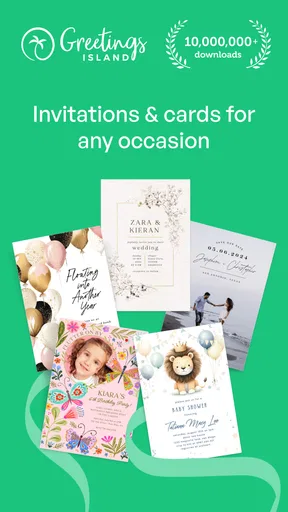
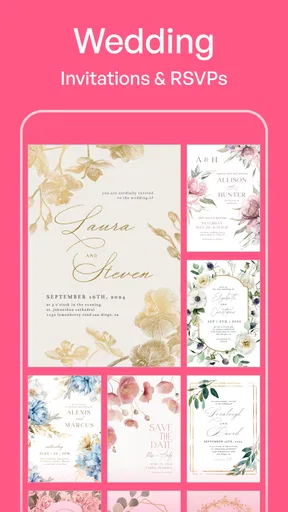
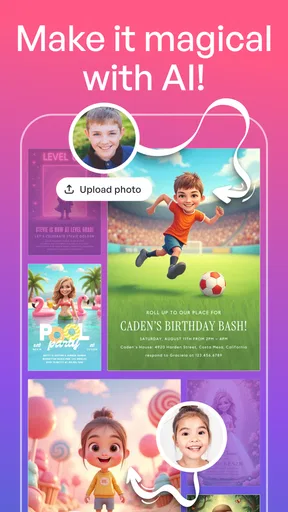
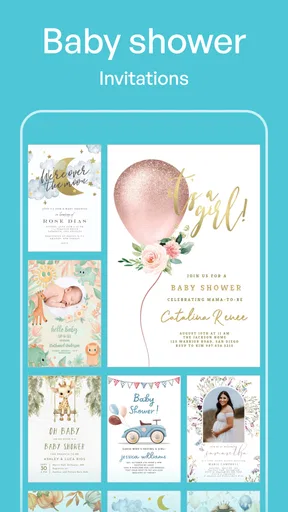
The app makes most sense when you want a personal-looking invitation quickly, rather than a blank canvas that asks you to build a design from scratch. Its templates give you a starting point for occasions such as birthdays and weddings, while the editable elements let you adjust the result to suit the event. I’d use that structure for a casual dinner, a family celebration, or a school gathering where a clear, attractive invite matters more than elaborate branding.
A useful way to avoid spending too long browsing is to decide on the essentials first: the occasion, the tone, and the details guests need to act on. Then choose a template that already feels close and change only what needs changing. In my experience, this is a better route than opening every design option and trying to invent a visual style as you go. The template does the layout work; your choices make the invitation feel like yours.
Where its design tools earn their keep
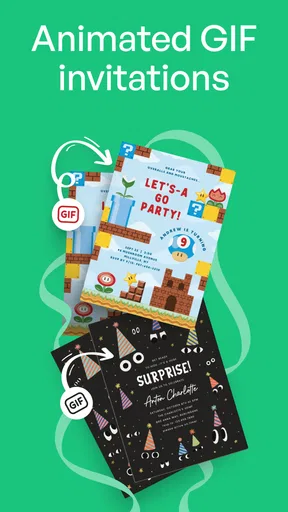
When you first open Invitation Maker: Cards & RSVP, you're greeted with a sleek interface that’s both inviting and easy to navigate. It's like walking into a well-organized craft store, where everything is at your fingertips. The app offers a variety of templates for all sorts of occasions, from birthdays to weddings, and even those quirky themed parties we all love.
One of the standout features is the extensive library of design elements. You can mix and match backgrounds, fonts, and stickers to create something truly unique. It’s like having a magic wand for graphic design. Plus, the app’s color palette options are a dream for anyone looking to customize their invites to perfection.
That flexibility is handy, but it also creates a small design trap: adding more flourishes does not always make an invite easier to read. I’d keep the event information visually prominent and treat stickers or decorative backgrounds as accents. Before sharing, check the invitation at the size people are likely to view it on a phone. A design that looks balanced while editing can feel crowded when reduced, especially if the wording is long.
The practical side of planning
A realistic example is a last-minute birthday plan: I can choose a template, add the time and place, and share the finished invitation with the people I want to invite. If plans change, I’d make sure the updated details are clear before sending a correction, rather than assuming everyone will see a revised design. That little check matters more than perfect typography when guests are deciding whether they can come.
Worth Reading Before You Choose

Baby Panda World Brings Quick Play to Modern Phones, but Its Game Library Feels Busy

ESPN’s Live Game View Makes Following Close Games Easier

QuizzLand Review: A Good Fit for Short Trivia Breaks, Not Every Player

Basketball Stars: Multiplayer Is Fast, but Can It Recover When Matches Go Wrong?

WEBTOON Turns Phone Updates Into a Better Reading Routine

Link to Windows Runs on Shared Habits, Not Social Feeds
RSVP Made Easy
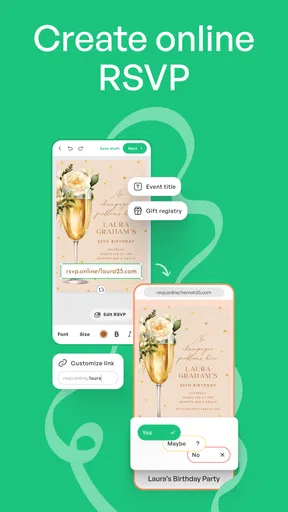
Now, let's talk about one of my favorite aspects—managing RSVPs. The app cleverly integrates RSVP tracking, which means you can keep tabs on who’s coming without the hassle of juggling spreadsheets or a million text messages. It’s like having a personal assistant handling the guest list.
The app sends out digital invites with ease, and your guests can respond directly through the app. It’s all streamlined and stress-free, leaving you more time to focus on the fun stuff, like planning the perfect playlist or deciding between cupcakes or cake pops.
For a small gathering, keeping replies alongside the invitation can be simpler than collecting answers across separate chats. For a larger event, I’d still decide in advance how I’ll handle guests who respond late, bring someone along, or message me outside the invitation flow. RSVP tools help organize responses, but they do not remove the need to communicate a clear deadline or reconcile replies that arrive through other channels. If attendance is important for food or seating, I’d keep a final guest list and check it before making arrangements.
Sharing, printing, and choosing another route
Another little gem within this app is its ability to share your creations directly to social media. So, if you’re planning something public, like a community event or a charity fundraiser, getting the word out is a breeze. Plus, you can save your designs and print them if you’re more of a paper invite person. It’s flexible and caters to both the digital savvy and the traditionalists among us.
That mix is useful if you have guests with different preferences: a digital version can go to people who are easy to reach online, while a printed copy suits someone who prefers paper. I’d treat the saved design as a starting point for printing, then check its text and layout carefully before producing copies. A print-friendly invitation and a quick social post serve different purposes, so I would not assume one format automatically works perfectly for both.
Compared with making an image in a general-purpose design app, this app’s appeal is the invitation-focused workflow and the RSVP element. A general design tool may suit someone who wants more control over a broader range of graphics or already has a precise visual brief. A messaging app is often quicker for an informal plan, but it can scatter replies across conversations. For a polished invite with responses to manage, Invitation Maker brings those tasks closer together; for a formal event with complex guest arrangements, a dedicated planning process may be a better fit.
What to expect before settling in
There is a learning trade-off even with an approachable editor: choosing fonts, colors, and decorative details takes time, and the number of options can tempt me to keep tweaking after the invitation is already good enough. I’d set a simple limit—pick a template, make the essential edits, preview it, and send. That keeps a quick task quick and reduces the chance of overlooking the practical details while focusing on appearance.
The app is rated for Everyone and has a 4.8 average from around 178,000 ratings, with more than 10 million installs. It was released in May 2018, and version 3.6.2 requires Android 6.0 or later. Those figures suggest it has reached a broad audience, but they cannot tell me whether a particular template matches my taste or whether my guests will prefer digital invitations. I’d judge that by making one sample design and checking the sharing route that suits my group.
It costs nothing to get started, while optional purchases range from $0.99 to $23.49 per item. I’d explore the available free choices first and only consider paying if a particular extra solves a real need for the event. The app has 6.9K written reviews, but I would still make my decision based on the workflow I need rather than assuming every user plans the same kind of occasion.
Who I’d recommend it to
And let’s not forget about the app’s user-friendly experience. Whether you’re a tech guru or someone who usually struggles with apps, you’ll find this one intuitive and straightforward. It’s all about making the process as easy as possible.
I’d recommend it most to someone who wants a designed invitation without learning a full graphic-design tool, and who would appreciate keeping guest responses organized around the invite. It is also a sensible option for people who like to save a design and have the choice of sharing it digitally or printing it. If all you need is a plain message with a date and address, a group chat may be faster. If your event needs detailed seating plans, extensive coordination, or a tightly controlled visual identity, I’d use a more specialized tool and keep invitations as just one part of that system.
Before sending, I’d check the spelling of names, date, time, venue, and any response instructions in one deliberate pass. Then I’d send a test to myself or a trusted person when practical, particularly if the event details are easy to misread. That small habit catches problems that no template can solve and is more valuable than another round of decorative edits.
Final Thoughts
Overall, Invitation Maker: Cards & RSVP is a game-changer for anyone looking to craft beautiful, personalized invitations without breaking a sweat. It’s a delightful blend of creativity and practicality, wrapped up in a user-friendly package. Whether you're planning a small get-together or a grand celebration, this app is your trusty sidekick. So, go ahead, give it a whirl and watch your event shine!
My recommendation is a little more specific: try it when you want the invitation itself to feel considered and would benefit from a shared design-and-response workflow. Keep the layout readable, choose a template before customizing, and decide how you’ll reconcile replies that arrive elsewhere. If those needs match your event, it is a convenient place to begin; if speed, extensive design control, or complex guest logistics matter more, another approach may serve you better.
Pros
- User-friendly interface for easy navigation.
- Wide variety of templates available.
- Customizable options for personalization.
- Quick sharing via social media and email.
- Supports high-quality printing.
Cons
- Limited free features; many are paid.
- Occasional app crashes reported.
- Some templates require in-app purchases.
- Ads can be intrusive in free version.
- Limited font options in free version.
FAQs for Invitation Maker: Cards & RSVP
What features does Invitation Maker: Cards & RSVP offer?
Invitation Maker: Cards & RSVP provides a wide range of customizable templates for various events such as birthdays, weddings, and parties. Users can personalize their invitations with text, images, and themes. The app also includes an RSVP tracking feature, allowing hosts to manage guest lists and responses efficiently.
Is Invitation Maker: Cards & RSVP user-friendly for beginners?
Yes, the app is designed with an intuitive user interface that makes it accessible even for beginners. Easy drag-and-drop features, along with step-by-step guides, help users create professional-looking invitations without any prior design experience. Customer support is available for any assistance needed.
Are there any costs associated with using Invitation Maker: Cards & RSVP?
Invitation Maker: Cards & RSVP offers both free and premium versions. The free version includes basic templates and design tools, while the premium version, available through in-app purchases, unlocks additional features such as exclusive templates, advanced editing tools, and ad-free usage.
Can I share invitations directly from the app?
Yes, the app allows users to share invitations directly through multiple platforms including email, social media, and messaging apps. This feature ensures that invitations reach guests quickly and efficiently, and hosts can also track RSVPs directly through the app, simplifying event planning.
Does Invitation Maker: Cards & RSVP support multiple languages?
Currently, Invitation Maker: Cards & RSVP supports several major languages, making it accessible to a global audience. Users can create and send invitations in their preferred language, enhancing the app’s usability across different regions. Check the app’s language settings for available options.


